


Business Insider: News & more
3.63.97K Reviews
App Specs
- Version
- 16.13.3
- Updated On
- License
- Free
- Downloads
- 1,000,000+
- Developer
- Business Insider, Inc.
- Categories
- News & Magazines
- Platform
- Android, iOS
Screenshots
 Analysis by AppCompare
When I decide whether a news app deserves a place on my home screen, I look beyond the headline feed. I want to know what it helps me understand, whether it suits the time I have to read, and if it offers a useful angle that I would miss in a general news roundup. Business Insider is aimed at readers who want business and economic stories alongside coverage of technology, politics, and culture. I find that mix useful when a major company, market shift, or policy decision is part of a bigger story I’m trying to follow.
It is a free news and magazines app from Business Insider, Inc., with optional in-app purchases. That makes it easy to try before deciding whether its approach fits your routine, though readers should keep in mind that some content is for subscribers. The app is rated for Everyone 10+, and its 3.6 average from around 39,000 ratings suggests a mixed reception rather than universal satisfaction. I would treat that as a reason to test the reading experience for myself, not as a verdict on whether its reporting suits me.
Choosing a Business News App That Fits Your Day
I use this section to weigh what matters before choosing a business-focused news app: the subjects I follow, the depth I want, and how much time I can give each story. That simple check helps me distinguish a useful daily reading habit from an app that only adds another stream of headlines.
What I look for before settling in
For me, the most useful question is not whether an app covers every possible subject. It is whether I can quickly find the kind of business story I need, then decide if I want a quick update or a longer read. Business Insider has been around since its release in 2012, and version 16.7.0 is the current version. It has reached over a million installs, but scale alone does not tell me whether its editorial mix matches my interests.
I would start by checking how much of my everyday reading is tied to companies, markets, technology, and the decisions that shape them. If those subjects come up often in my work or personal interests, a publication with a business focus can save time compared with scanning a broad general-news feed. If I mainly want local updates, sports, or a wide sweep of international headlines, a general news app may be a better first stop.
Where its mix has an advantage
The appeal is the connection between business and the rest of daily life. A technology story can matter to consumers as much as investors; a political decision can have practical consequences for employers, workers, and shoppers. I like having those angles in one reading destination instead of treating business as a separate subject that only matters during market hours.
A useful way to read is to follow one issue across different kinds of coverage rather than opening articles at random. If a company announcement catches my eye, I can look for related reporting about the industry or technology behind it, then decide whether the larger trend is relevant to me. That approach makes a business-focused publication more valuable than a stream of disconnected headlines, especially when I am trying to understand why a story matters instead of merely learning that it happened.
Worth Reading Before You Choose

EA SPORTS FC Mobile 26 Is a Bigger Football Game, but It Takes Time

Flipboard Shows What News Apps Must Do Beyond the Feed

Switching to Android Auto Means Rethinking Your Driving Routine

Google Calendar Makes a Crowded Week Easier to Manage

Ludo King Makes the Most of the Minutes Between Plans

Baby Panda World Brings Quick Play to Modern Phones, but Its Game Library Feels Busy
When another kind of app may serve you better
Business Insider is not a substitute for every news source. A broad general-news publication is a better fit when I want a balanced sweep across local affairs, international developments, public safety, and subjects unrelated to business. A specialist financial news service may suit someone who needs a narrow, technical focus on markets, while a newspaper app can be preferable for readers who want a wider range of reporting and commentary in one place.
The trade-off is editorial focus. Business and technology coverage can help me make sense of companies and industries, but that emphasis may leave less room for the subjects I want on a day when markets or corporate news are not my priority. I would not install it expecting a complete picture of every major event. I would use it as one source within a reading routine, and check other reporting when a topic needs a broader range of perspectives.
A practical way to use it during a busy day
Imagine I have a few minutes before work and want to know what developments might affect the companies or industries I follow. I can open the app, scan the latest coverage, and save a longer article for a commute or a quieter break. Later, instead of restarting from the top of a general feed, I can return to that story and spend time with the details. The value in this routine is not simply speed: it is separating a quick check from the reading that deserves concentration.
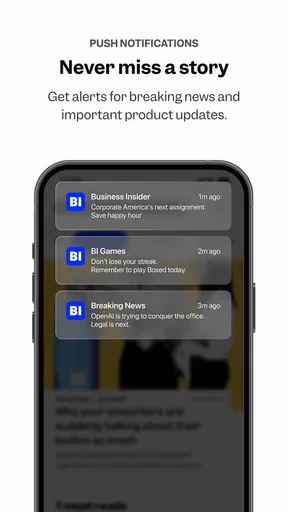
I would also be selective about alerts. News notifications can interrupt work without adding much context, so I would enable only the subjects I genuinely want to hear about promptly and leave the rest for a deliberate check-in. That is a practical way to get timely updates without letting every developing story dictate when I pick up my phone. If I find myself opening alerts and then forgetting the original task, I would reduce them rather than assume more notifications mean better coverage.
Subscriptions, expectations, and the switching decision
The app is free to download, but in-app purchases range from $9.49 to $99.99 per item, and subscriber-only articles are part of the experience. I would browse first and pay only if I repeatedly reach for material that is restricted and can explain what the paid access adds to my own reading. A subscription makes little sense if I mostly skim headlines, while a reader who regularly wants deeper business coverage may judge the cost differently. Before purchasing, I would check the current in-app offer and terms, since the listed range covers different purchase items rather than one single price.
Switching from another news app does not require abandoning it. I would keep the old source available while trying Business Insider for the particular stories it handles best, then compare whether I am finding useful context or merely seeing the same headlines again. This small trial is more informative than moving every reading habit at once. If the app becomes my preferred place for business coverage, it can earn a regular spot; if it does not, I can keep using a broader source without having to rebuild my whole routine.
For device compatibility, the stated minimum operating-system requirement is version 7.0. That is useful to check before installing on an older device. I would also consider whether I prefer reading on a phone in short sessions or doing longer pieces on a larger screen; the best publication can still feel inconvenient if its format does not suit the way I actually read.
First Impressions and User Interface
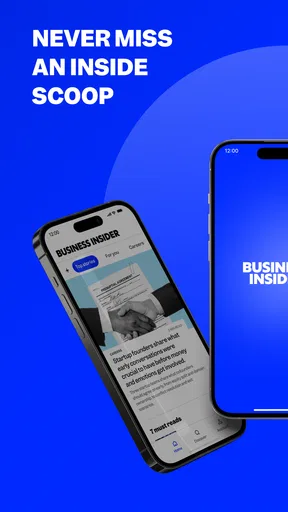
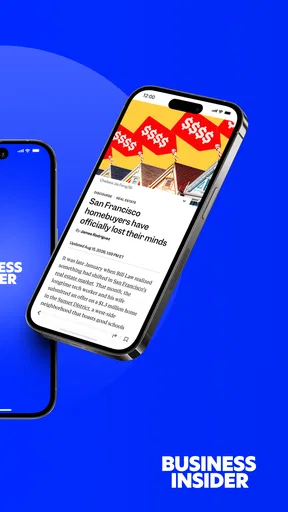
When you first open the Business Insider app, you're greeted with a clean and intuitive interface. It's like stepping into a well-organized newsroom. The navigation is straightforward, with tabs for the latest news, popular stories, and specific categories like tech, finance, and politics. I found it super easy to find what I was looking for, whether it was breaking news or a deep-dive feature.
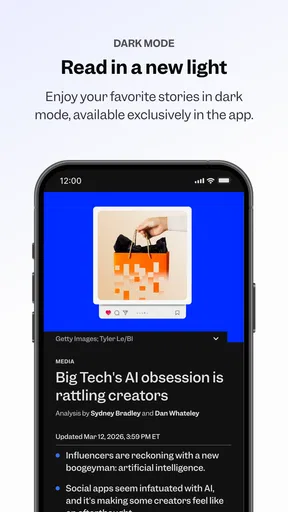
The design is sleek and modern, with a minimalist vibe that keeps the focus on the content. The app loads quickly, which is crucial when you want to catch up on news during a busy day. Plus, the dark mode option is a game-changer for late-night reading sessions!
Content Quality and Variety
Let's talk about what really matters—the content. Business Insider delivers a diverse range of articles, from detailed reports on financial markets to lifestyle pieces about tech and innovation. The quality of journalism is top-notch, with well-researched articles that often include insights from industry experts.
One feature I really appreciate is the "Insider Picks" section. It offers curated recommendations and reviews that are genuinely helpful, especially if you're an avid online shopper or tech enthusiast like me. The app also provides access to exclusive content for subscribers, which adds value if you're looking for in-depth analysis.
Notifications and Personalization
Now, I know notifications can be a double-edged sword, but Business Insider handles them beautifully. You can customize alerts based on your interests, ensuring you only get pinged for topics you care about. It’s like having a personal news assistant!
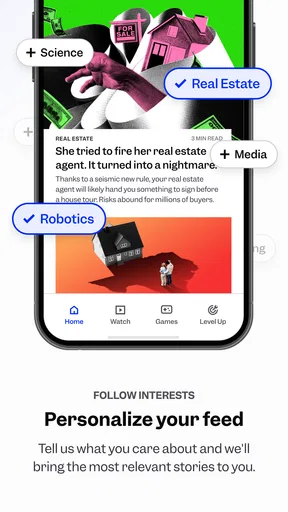
The personalization doesn’t stop there. The app learns from your reading habits and suggests articles that align with your interests. It’s a subtle touch that makes the experience feel tailored and relevant.
Offline Reading and Accessibility
If you're often on the go, you'll love the offline reading feature. Save articles to your device and catch up during your commute or while traveling. It’s a real lifesaver when you're in areas with spotty internet.
Accessibility is another strong suit for Business Insider. The app supports screen readers and has adjustable text sizes, making it user-friendly for everyone. It’s clear that the developers have put thought into making the app inclusive and easy to use.
Final Thoughts
Overall, the Business Insider app is a powerhouse for anyone interested in staying informed about global business trends. With its user-friendly interface, high-quality content, and thoughtful features, it’s hard not to be impressed. Whether you're a casual reader or a business professional, this app has something to offer.
If you haven’t already, I highly recommend giving Business Insider a try. It’s more than just a news app; it's a gateway to understanding the world of business in a deeper, more meaningful way. Happy reading!
Pros
- Comprehensive news coverage.
- User-friendly interface.
- Real-time market updates.
- Customizable notifications.
- Offline reading mode.
Cons
- Occasional ad interruptions.
- Limited free content access.
- No dark mode option.
- Subscription can be pricey.
- Some articles lack depth.
FAQs for Business Insider: News & more
What is Business Insider and what does it offer?
Business Insider is a leading digital news platform that provides in-depth coverage of business, financial markets, technology, and lifestyle topics. The app offers users access to breaking news, insightful analysis, and exclusive interviews with industry leaders, making it an essential tool for professionals and enthusiasts looking to stay informed.
Is there a cost associated with using the Business Insider app?
While the Business Insider app offers free access to some content, a subscription is required to unlock premium features and articles. Subscription plans vary, and users can choose between monthly or annual options. These plans offer an ad-free experience, comprehensive market insights, and exclusive content not available to free users.
How frequently is the content updated on the Business Insider app?
The Business Insider app is updated continuously throughout the day to provide users with the latest news and market updates. The team of experienced journalists and analysts ensures that users receive timely information, with breaking news alerts and live updates on key events to keep you informed in real-time.
Can I customize my news feed on the Business Insider app?
Yes, the Business Insider app allows users to personalize their news feed to focus on specific interests or industries. By selecting preferred topics and sources, users can tailor their experience to receive relevant content, ensuring that they are always up-to-date with the news that matters most to them.
What devices and operating systems are compatible with the Business Insider app?
The Business Insider app is available for both Android and iOS devices, ensuring broad compatibility across smartphones and tablets. Regular updates ensure the app runs smoothly on the latest operating systems, providing a seamless user experience whether you’re using an iPhone, iPad, or an Android device.


